
To change the device (Phone) for your Entropia Pocket 2 Way security application you will need the RECOVERY CODE.
This code was provided during the activation process.
In case you are missing this code please contact The support department and request the removal of the application from your account.
After this was done you will be able to reactivate it and receive a new recovery code.
To change your device please follow these steps.
1. Account security page, with the link in the last lines of text to the activation page.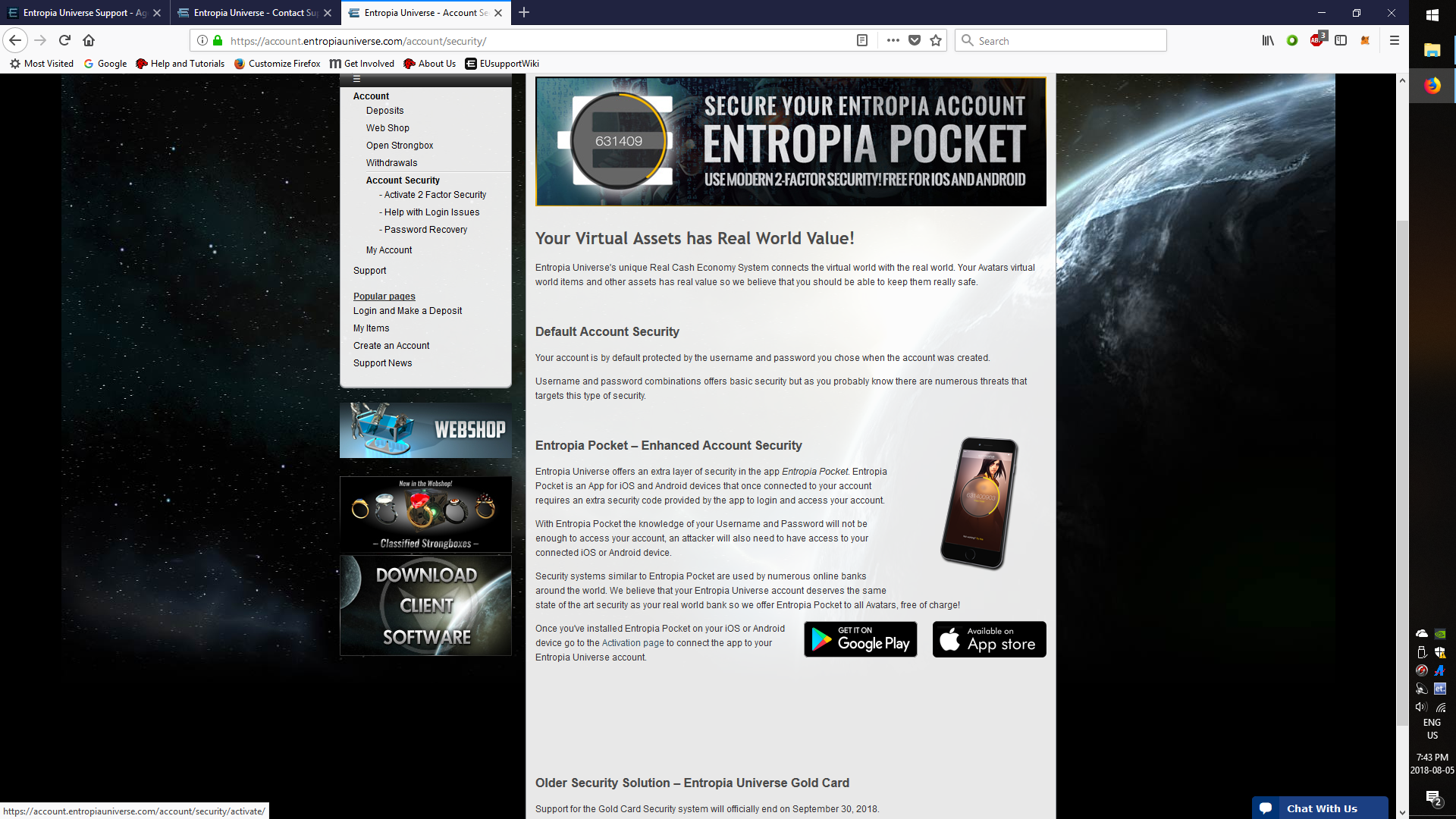
2. the First page of the activation process, click the green button to get page 3.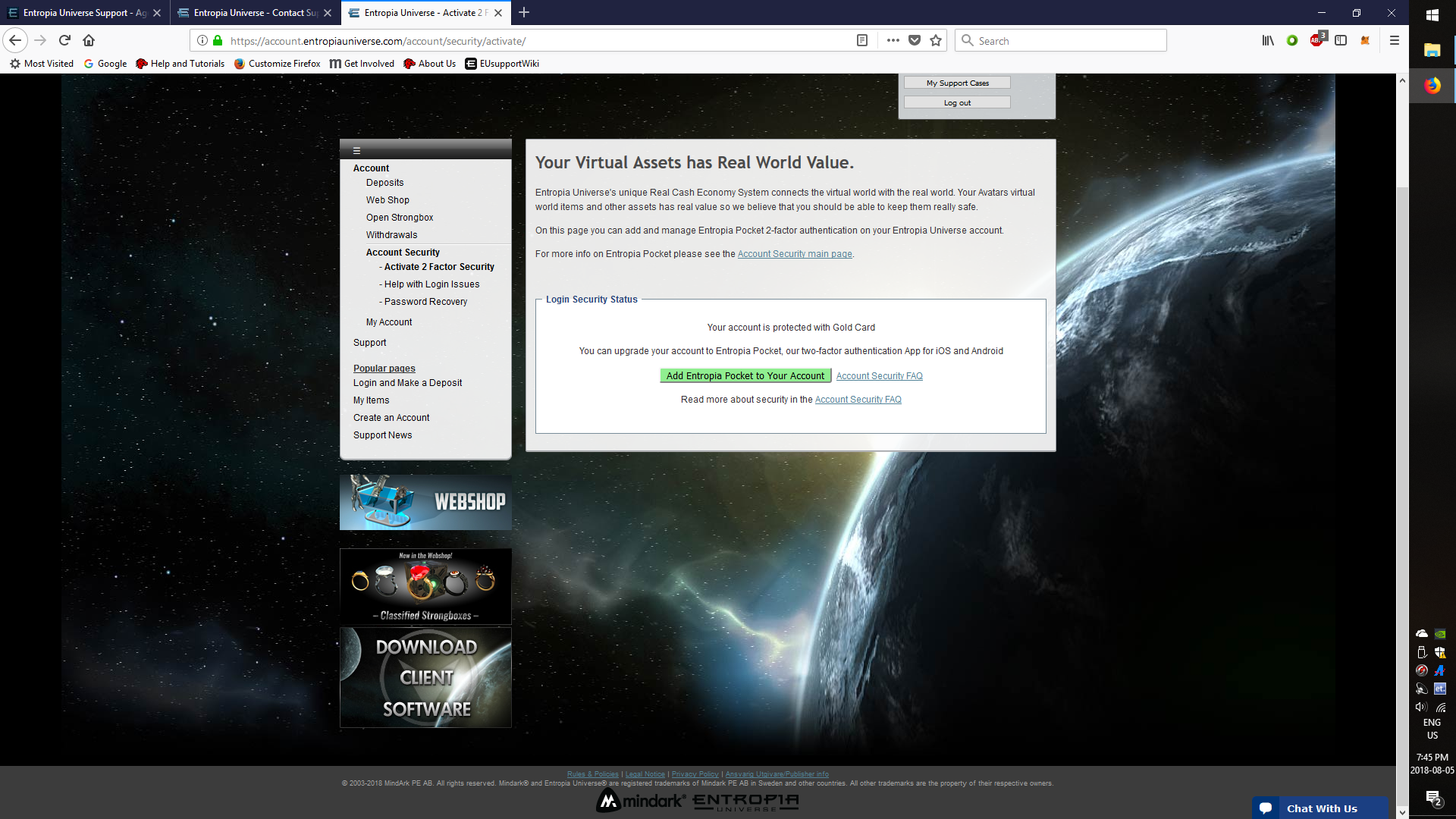
3. Open the EPocket app on the phone, (after downloading it), and scan the QR code, (this attaches EPocket to the account). Save or print recovery code, (for later use when switching to another device).
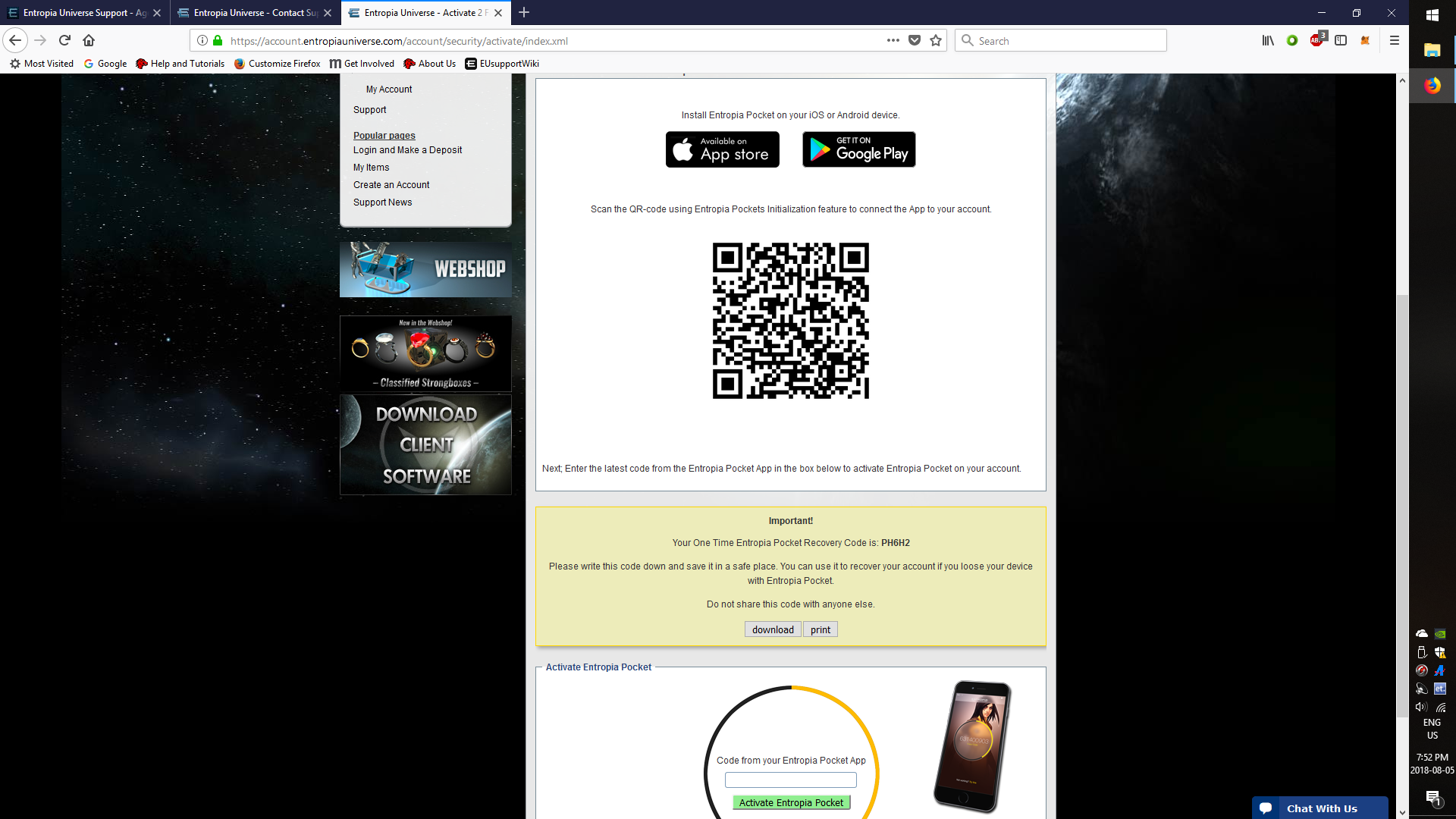
4. Enter the code from the Epocket app, at bottom of the page in the space provided, to activate the Epocket on the account. Note: Epocket provides a code that cycles to a new one, just enter the current code before the next one appears.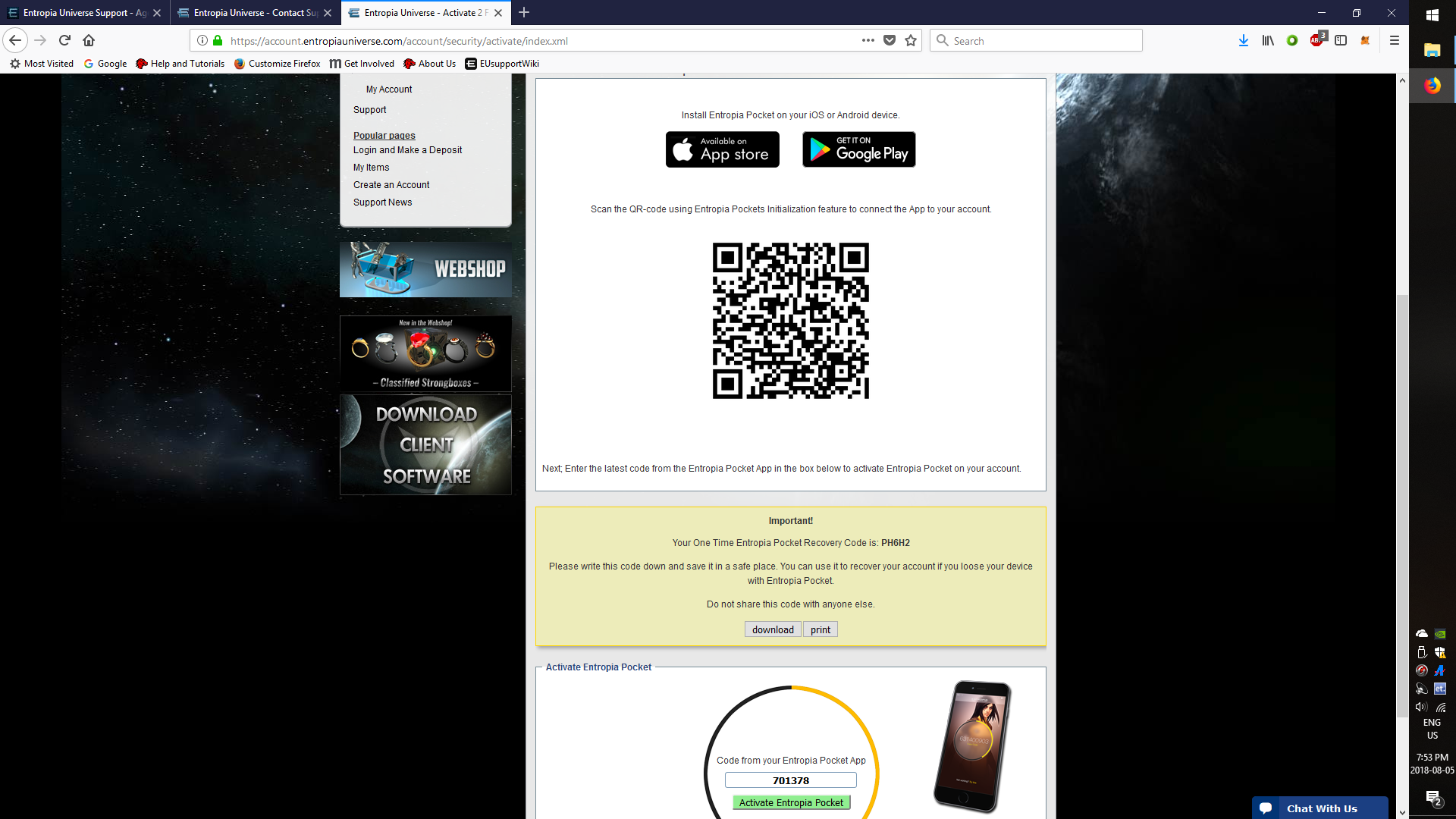
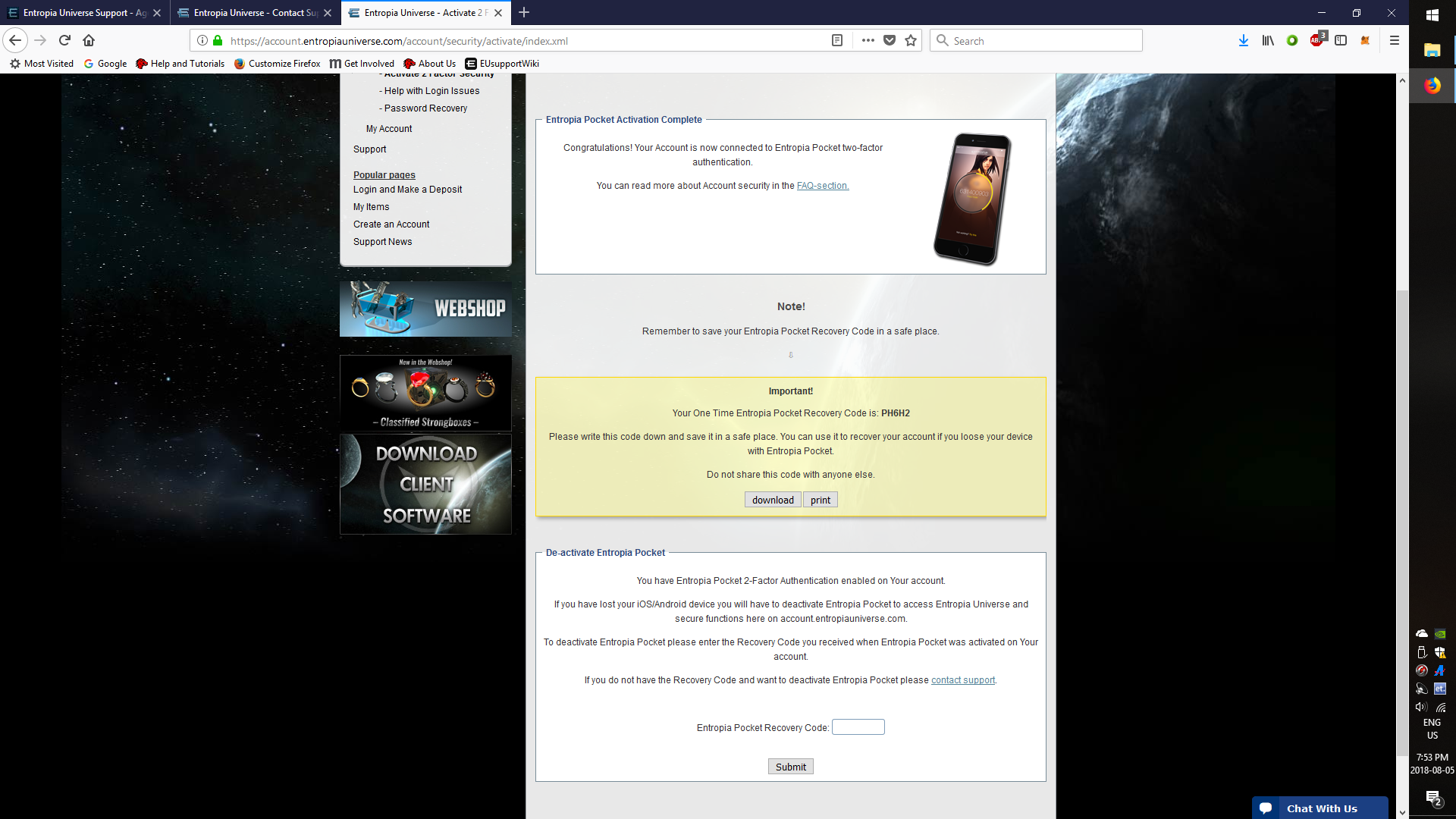
5. Last page shows completed activation of the Epocket, and again gives the recovery code. Once you leave this last page the recovery code is no longer available.
Comments
0 comments
Article is closed for comments.